
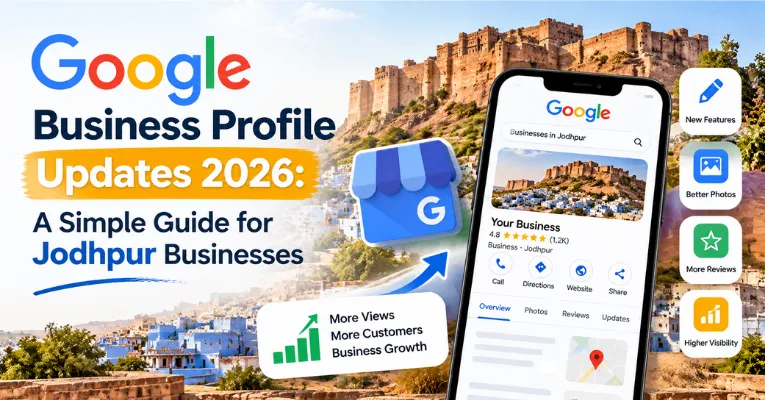
Have you checked your business listing on Google Maps lately? Many shop and clinic owners in Jodhpur set up their listing years ago and forgot about it. As long as their phone number worked, they felt safe.
In 2026, Google made big changes to how Google Business Profile works. If you do not update your profile, local customers may call your competitor instead.
Think about how people in Jodhpur look for a local service today. When someone needs a dentist in Sardarpura or a sweet shop in Ratanada, they open Google Maps. In fact, about half of all Google searches now end without anyone clicking a website.
People check your star rating, look at your newest photos, and contact you right from the map. Let us look at what changed in 2026 and how you can get more daily calls.
What Happened to the Old Question and Answer Box?
For many years, your Google listing had a public Question and Answer box. Customers could type a question there, and you could post a reply for everyone to see.
Google removed that old Q&A box and replaced it with a smart tool called “Ask Maps.” Now, when a customer types a question on Google Maps, Google writes an instant answer for them.
Suppose a patient asks if your dental clinic on Residency Road is open on Sunday evenings. Or suppose someone asks if your furniture shop in Basni makes custom dining tables.
How does Google know the right answer? It checks your profile service list, your customer reviews, your photos, and the FAQ page on your website.
If those places are blank, Google cannot answer the customer’s question properly. That means you should list every single service on your profile and keep clear answers on your website.
Add the New WhatsApp Button to Get More Chats
Here is an update that every business owner in Rajasthan will find useful. Google now lets you add a direct WhatsApp chat button to your Google Business Profile.
Most customers in Jodhpur prefer sending a quick WhatsApp message over filling out a website form. A busy parent or office worker may not have time for a phone call during work hours.
Instead, they can tap your WhatsApp button on Google Maps and ask for prices or timings. You can turn this feature on inside your profile settings in less than five minutes.
Connect a business phone number that your staff checks throughout the day. When you reply within five minutes, you turn many of those casual chats into paying customers.
Three Review Mistakes That Can Get Your Profile Blocked
Good customer reviews build trust faster than any advertisement. However, Google introduced much stricter review rules in 2026 to stop fake ratings.
Many honest business owners in Jodhpur break these rules by mistake. Avoid these three habits so your business listing stays safe:
- Do not use a shared shop phone or tablet: Every review must come from the customer’s own mobile phone. If ten reviews come from the same shop tablet, Google blocks them as fake.
- Do not run staff name contests: Google bans businesses from offering staff bonuses for getting their names mentioned in customer reviews. Ask customers for honest feedback about their visit instead.
- Do not add extra keywords to your shop name: If your signboard says “Marwar Opticals,” keep that exact name on Google. Changing it to “Marwar Opticals Best Eye Test Shop Jodhpur” can get your listing suspended.
Keep Your Profile Active Every Single Month
Google wants to show local customers businesses that are active and open right now. If you do not update your profile for a month, your map ranking can slowly drop.
Make it a weekly habit to upload two or three real photos taken with your phone. Show your shop front, your team at work, new stock, or a finished project.
Never upload fake stock photos or computer-made pictures of your showroom. Also check your dashboard once a week, because Google gives you only four days to reject wrong public edits to your hours or phone number.
How This Helps Local Businesses in Jodhpur
Whether you run a blood test lab in Shastri Nagar or a boutique in Sardarpura, customers search on mobile first. They rarely scroll past the top three business names on Google Maps.
If you run a restaurant or cafe near Paota or Clock Tower, there is another helpful feature. Upload a clear photo of your food menu, and Google turns it into a searchable dish list on Maps. Small updates like these make your business look active, trustworthy, and easy to contact.
Frequently Asked Questions
- Why did the Questions and Answers box disappear from my Google listing?
Google replaced the old Q&A box with an automatic tool called “Ask Maps.” It answers buyer questions using details from your profile services, customer reviews, and website FAQ page. - Why is my reply to a customer review not showing up right away?
Google now checks all business owner review replies before showing them to the public. It usually takes a short time for your reply to appear on Maps. - How can I verify a new business listing in Jodhpur?
Along with phone and WhatsApp verification, Google may ask for a photo of your shop board and a government business ID. Always complete verification inside your official Google dashboard. - What should I do if my Google Business Profile gets suspended?
Do not create a second listing for the same shop. Remove extra keywords from your business name, keep your electricity bill or shop license ready, and send a reinstatement request.
Conclusion
Your Google Business Profile is like the main gate of your shop on the internet. When you add a WhatsApp button, post real photos every week, and keep your services updated, local customers choose you first.
Want more local customers in Jodhpur to find your business on Google Maps? Call or WhatsApp Kittu Click at +91 9079055764, email info@kittuclick.com, or visit https://kittuclick.com/ to get your Google Business Profile checked and managed by our team.

Leave A Comment